Unreal Engine Vite is oriented toward professional game development, supporting titles currently in active production. The long-term focus of Vite is to maintain a continuously evolving, fully modern 9th-generation rendering engine with ongoing performance, stability, and graphics pipeline upgrades tailored for contemporary console hardware targets.
The aim for this Engine Fork is to offer the most performant modern Unreal Engine iteration. Offering a base performance upgrade of up to 2.5x+ real game FPS vs 5.6/5.7 intended feature set
**On the features side, UE-Vite prioritizes battle-tested AAA technology over Epic’s UE5 in-house systems. This includes PhysX, DDGI, TressFX, SMAA, and other industry-standard solutions. **
Performance Targets: Epic’s Unreal Engine 5.6/5.7 targets 60 FPS at dynamic native 720p-1080p on PS5 using Lumen/Nanite/Chaos (ex. Witcher Demo/Halo Remake). However, this results in inherently noisy, temporally unstable, and blurry visuals. Moreover, with the recent release of the Nintendo Switch 2(expected to have a 7–8 year lifespan) and the upcoming rumored PS6 handheld, which is anticipated to be less powerful than the PS5, we consider these performance targets unrealistic for current and upcoming console hardware. They may be a better fit for the film and virtual production industries.
UE-Vite Fast Path target is 120fps 4k Native res with DDGI/PhysX on PS5, 60fps 4K WITH DDGI/Tesselation and improved fidelity. This allows for visuals that translate properly to less powerful systems such as Switch 2/Steam Deck/future PS6 handheld. Higher fidelity is available with features such as Callisto BRDF, DDGI+SSGI, RTAO, RT Reflections, RT Shadows, RT Volumetrics and RTXDI(Megalights alternative).
*This Fork's original base is NvRTX 4.27: which made several DX12/RT and rendering additions and improvements over Epic's 4.27. It also adds DLSS 3, Reflex, improved denoiser, and encompasses all RT features. Large Merges/Cherry picks from NvRTX 5.0, 4.27plus, and AMD branches have been applied as well. Given that this engine is running PhysX, Tandem DDGI+SSGI. UE-Vite closely resembles the bespoke UE5 build used in The Finals launch.
Stay in tune at our Discord: https://discord.gg/PPAwKS2kyn
See our work plan on Trello: https://trello.com/b/JKyBFS5X/ue-5-physx-vite-studio-fork
If you’d like to be part of the forkers team, you can submit a PR or request the Forker role on the server. Our internal discussions include general resources about the Unreal Engine source.
We’re actively looking for contributors to create test scenes for our Engine Tech Showcase.
Killer features of this Engine
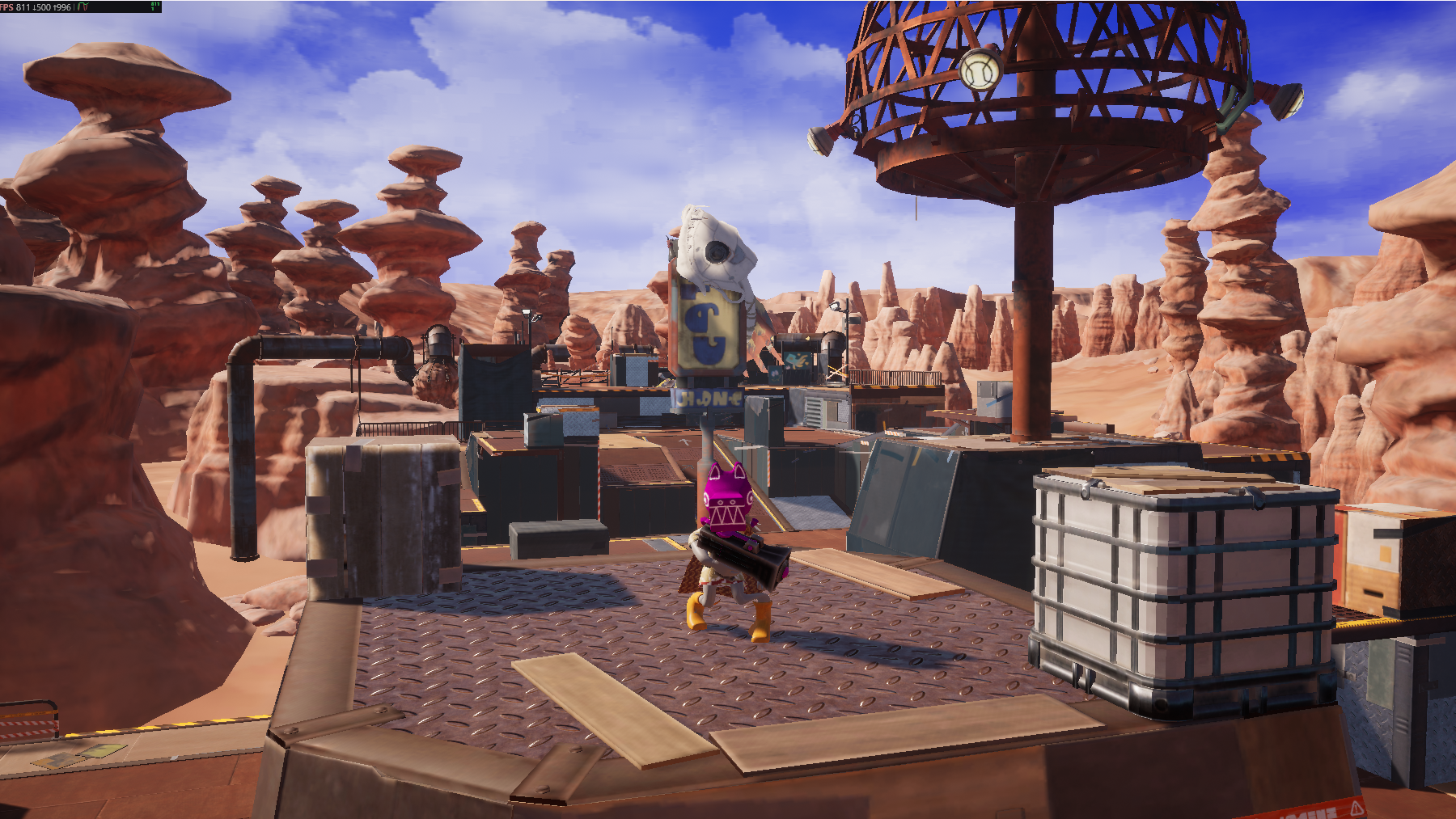
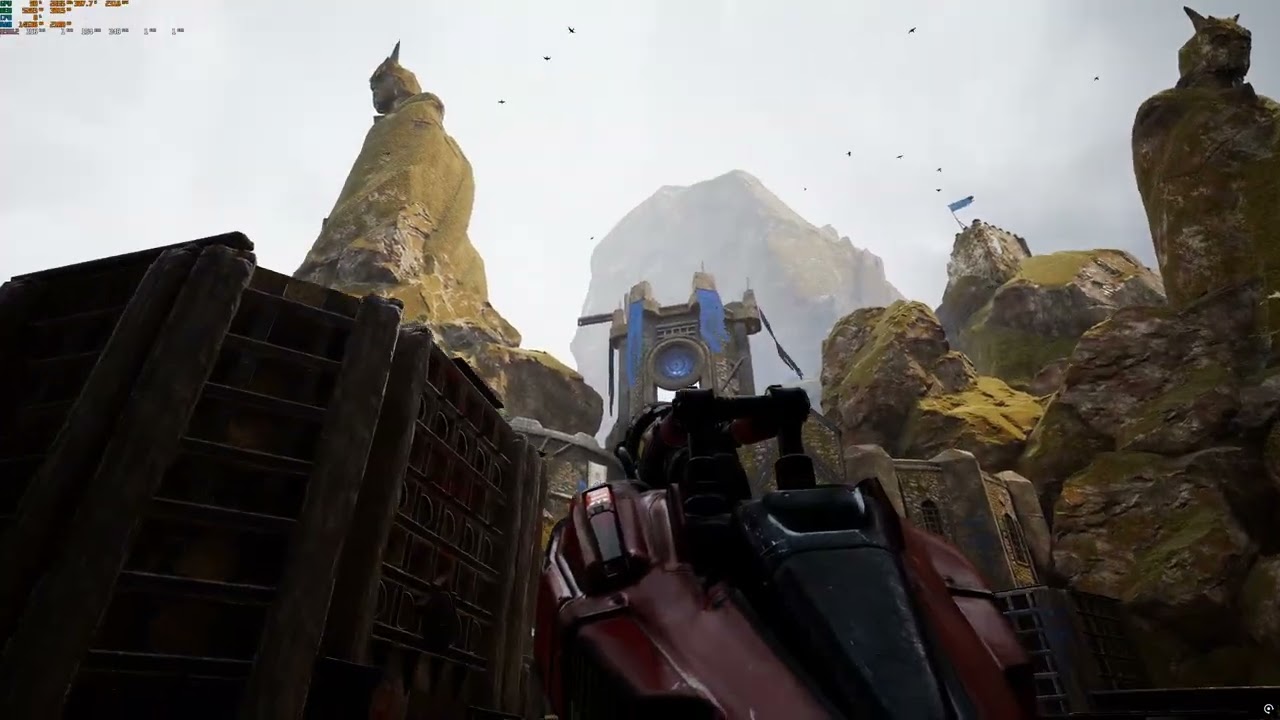
Dynamic DDGI: The star of this fork: An hyper-performant noise-free 9th gen Global Illumination alternative to Lumen. DDGI provides higher quality bounce and less leaking than Software Lumen, it's comparable with HWRT Lumen for bounce. RTXGI outperforms Lumen for 1.75x~ the FPS. For a test scene: 811FPS (RTXGI) VS 324fps(Lumen 5.7). Runs great on AMD hardware (RX 6600 Test scene: 245FPS 1080p native). RTXGI/DDGI has been used across many AAA console titles such as Metro Exodus, Overwatch 2, The Finals, Control, The Witcher 3, Cyberpunk 2077, DOOM: The Dark Ages, Indiana Jones and the Great Circle, Ghost of Yōtei, Star Wars: Outlaws(including Switch 2 ver) and AAA engines such as Anvil/Snowdrop use DDGI probes for part of their RT GI pipeline. *Works from GTX 1060 6GB gpus Image: 811fps on RTX 4080S 1440p Native DDGI DynamicImage: 324fps on AMD RX 6600 RDNA2 1080p Native RTXGI Dynamic
Static DDGI: DDGI also includes a Static Mode with virtually instantaneous bake times. This mode delivers higher bounce fidelity than traditional baked-lighting solutions and general better coverage of moving objects, thanks to DDGI’s use of Spherical Harmonics to store and filter irradiance within the probe volumes. Viable for ultra-low-end GPUs.
UE4 Era SSGI: SSGI experienced both quality and performance regressions in UE5 due to its integration with Lumen, and it was no longer possible to be activated alongside DDGI. SSGI performs well alongside world-level GI solutions and is recommended to be used in tandem with DDGI to enhance coverage of high-frequency detail GI and improve overall lighting fidelity in complex scenes.
PhysX: PhysX 3 integration is fully stable and commercial-ready as this based of UE4. Vite’s codebase is being updated to remove unnecessary Chaos allocations(for a perf iimprovement over 4.27). Image: Chaos (5.6) 75fps VS PhysX (Old Vite) 148fps : ~2X end game FPSImage: PhysX running in fast-path by using Native PhysX Actors, 374fps outperforms Chaos by over 5x the FPS
RTXDI: This is a noise-free alternative to MegaLights, it's the standalone version, not the Lumen-integrated RTXDI present in 5.1 and later NvRTX UE versions. Enabling RTXGI + RTXDI will still result in scenes with better performance than standalone Lumen (Hardware).
Tesselation: Enables higher geometric detail based on distance or displacement maps, enabling smoother surfaces, better silhouettes, and high-frequency detail at runtime without incurring the large overhead of Nanite.
Apex Destruction: Destruction system of PhysX, a hyper performant alternative to Chaos Destruction https://www.nvidia.com/en-us/drivers/apex-destruction/
Apex Cloth: APEX Clothing lets artists quickly generate characters with dynamic clothing to create an ultrarealistic interactive gaming experience https://www.nvidia.com/en-us/drivers/apex-clothing/
Full suite of RT Features: RT Reflections, RTAO, RT Shadows, RT Skylight, RT Translucency, RT Caustics, RT Volumetrics, RT GI (apart from RTXGI) and PathTracing [Black Myth: Wukong used these features].
Current Features
The Release Branch of this fork currently brings the following:
PhysX 3.4
Integrated all 4.27 Plus changes, nvrtx 4.27, nvrtx 5.0, DLSS3, TressFX, AMD patches
Full latest MSVC 14.50 (VS 2026) compiler compliance for the highest Compiler performance and compability.
Updated DLSS 3 support
Editor QoL backports
Added/adapted plugins bundled with the engine: FSR, Motion Matching, Houdini, ACL, Kawaii Physics
Several Rendering optimizations for RT Direct Lighting, RT shadows, Geometry Collection, Drawing, Eye adaptation, Shadow/Light Draw Distance, AMD Optimizations targeted for consoles
Several CPU optimizations for Containers, friends usage, hashmaps, NavMesh, volumetric clouds
Updated Classes for easier backporting of UE5 codebases (game framework/containers)
Improved ACES (color reproduction)
Shader Compilation Improvements
Optimized runtimes for Skeletal Meshes and Actors
Editor loading improvements
Project Default Plugin debloat
Software Oclussion: Noted as this was removed after 4.27
Nintendo Switch 1 / 2 Specialized Renderer (5.0+ removed this)
Currently Work in Progress Features
* Update UI Flat Design (UE5 like)
* Full C++ 20 support
* Updated Tress FX 5.0 setup
* FemFX Integration
* Further ACES Upgrades/Color Space
* Cherrypick of SMAA from the DEPRECATED UE5 Vite Branch
* AMD VRS
* Large Level optimizations
* Further Shader compilation Improvements
Future Features
* Half Res SSAO targeted for High Refresh Rate multiplayer titles
* AMD Single Pass Downsampler https://github.com/GPUOpenSoftware/UnrealEngine/tree/FidelityFXSPD-4.26/UnrealEngine
* AMD Anti Lag
* VXGI
* HBAO+
* Improved LOD/Mesh Handling
* Engine Level Integration for Multi-Threaded Tick Aggregation: Improved Instruction Coherency
* Flex/Flow support: CUDA GPU-accelerated Particles for PC/Nintendo targets
* Neon Assembly SIMD: usage for Math Library for ARM A78C/ Switch 2 Optimization
* Integration of a well-known ECS library
* Improved Specular AA
* Improved performance scalability of RT Reflections: Aiming to get the performance targets similar to REngine (DMC V: SE PS5)
* Waveworks
* IMGUI integration
Why use NvRTX 4.27 as a base?
We are using NvRTX 4.27 as our base version because it represents the best Unreal Engine iteration featuring an agnostic ray-tracing pipeline, closer in design to that found in other AAA engines. Beginning with UE version 5.1, the rendering pipeline (particularly the ray-tracing path) became increasingly intertwined with Lumen, Nanite, Virtual Shadow Maps (VSM), and Temporal Super Resolution (TSR), reducing its modularity and flexibility. In addition, the already deprecated PhysX API began to be gradually removed.
Important Read this DOC: 4.27 VS 5.0 https://docs.google.com/document/d/1gA0MGkzeWWzKkgwBDOP5xRPouSKaOIW6xlPZ2q6BXO0/edit?usp=sharing
On top of this, this iteration of the engine also features the following non-trivial performance benefits:
Materials/Shaders: Starting with Unreal Engine 5.1, Shader Model 6 (SM6) became the preferred rendering path. As a result, the general shader instruction count increased significantly for both SM5/SM6 paths. Subsequent engine versions have continued to expand both the instruction count and the number of shader permutations even further. In contrast, Unreal Engine 4.27 provides lighter-weight shaders that deliver the same visual fidelity, resulting in faster GPU performance across the board.
Character Movement Component: The Character Movement Component (CMC) has become increasingly expensive in newer versions of the engine. When compared to Unreal Engine 5.6, version 5.0 performs up to 2.2-2.8× faster in movement and collision calculations, even when not accounting for PhysX sweps speed improvement.
Ram/Vram Usage: Overall memory usage has steadily increased with each engine iteration. In comparison, our Fork uses approximately 1GB of total less memory on average in a typical multiplayer map scene than version 5.7.
Skeletal Meshes: Skeletal Meshes became more complex around 5.3/5.4, the base cost of a SKM in 5.0 is lighter.
World Tick and Game Thread Times: Newer iterations of UE5 increased the general cost for the Ticking systems and made Physics/Niagara/Controller ticks heavier to run.
Render Thread Heaviness: With the deeper integration UE5 Epic's features: Lumen/Nanite/VSM/Virtual Textures/TSR/Substrate/Chaos Cloth/Hair, the render thread became larger and more fragment, also PSO have become increasingly heavier.
Volumetric effects and Fog There is a large performance regression on the systems/materials that handle Volumetrics, Fog, and Sky; increased shader complexity further beyond the base material cost increases
General increased base costs for core classes, both Game/Render Logic
This is a good question. In reality Unreal Engine 4 continues to power several recent AAA releases: Stellar Blade (UE4.26 2024), Final Fantasy VII Rebirth (UE4.26 2024), Days Gone: Remastered (UE4.11 2025) Delta Force (UE4.22 2025), Mortal Kombat 1(UE4.27 2023), Mario & Luigi: Brothership (UE4.26 2024), Princess Peach: Showtime! (UE4.26 2024), and Pikmin 4(UE4.26 2023): All of these titles featuring PhysX of course. We understand that the reasoning behind these productions to remain on UE4 is due to specific features and to meet performance targets. The plan is to further upgrade the codebase, optimize core systems further, add new features, improve UI, and to modernize toolchains. UE4 is still being updated and supported by large studios and publicly updated via 4.27 Plus, also UE4 remains a priority for Nintendo consoles.
We know that performance targets can make or break a release, as they directly define a product's end feature set and the quality of the end user experience. For this, we have an all-around iterative optimization plan on this fork for every major feature.
Building the Engine on Windows
0. Initial Setup
If you have never built from source, follow: https://dev.epicgames.com/documentation/en-us/unreal-engine/setting-up-visual-studio-development-environment-for-cplusplus-projects-in-unreal-engine?application_version=4.27
Latest VS26 works with no issues
GitDeps is already fixed on this fork, no change needed.
When asked to Override Changes on Setup startup, enter N.
After the setup finishes downloading, run GenerateProjectFiles.
Compiling this version of Unreal Engine from source requires a specific set of build tools. If you use a newer or different version, you will encounter compilation errors like error C4668: '__has_feature' is not defined.
Follow these instructions carefully to set up the correct build environment:
1. Required Tools
How to Install the Required Components
Open the Visual Studio Installer.
Find your Visual Studio 2026 installation and click Modify.
Go to the Individual components tab.
Uncheck boxes for conflicting MSVC versions
Use MSVC 14.50 for vs 2026 or 14.44 for vs 2022 (Latest)
MSVC v143 - VS 2022 C++ x64/x86 Latest (14.44)
Windows 11 SDK (10.0.26100)
Building with Visual Studio 2026
Set starting project as UE4 if not setup already.
Engine should be built in Development Editor configuration
2. Configure Unreal Build Tool
After installing the required components, change the BuildConfiguration.xml (User) file to force Unreal Build Tool (UBT) to use them.
If you encounter issues, match the following VS 26 Settings:
Notes for Projects
Beware full RT effects are enabled by default, Shadows, Reflections, translucency, etc. It's setup this way for the user to get to know the RT features from the get go
Check the Vite Tech Samples project, https://shorturl.at/FsQmj Featuring: +Nvidia's DDGI Cornell Box Official Samples +PhysX Apex Destruction Test Bed +PhysX Apex Cloth Sample +"High End" DDGI+SSGI Deep Elder Caves Scene
Default commands are, on the Character's cpp class:
"I can't go back! I'm running a project on 5.1+"
No worries! You can use the UE Downgrader Plugin to fully downgrade assets from version 5.7 or lower back to our ueVite.
Downgrader: https://youtu.be/yXvJfDNfrSQ
@ciprian5896 the creator of the Downgrader plugin is at our Vite Discord, he has so far provided direct help for several Vite related projects