Engine Default Changes
Stock Unreal defaults are chosen to make everything work out of the box, which means they enable features most projects never use. Vite changes several of them to favour performance, on the principle that a feature you want should be something you turn on rather than something you forget to turn off.
The trade is that a project moved from stock 4.27 to Vite may behave differently. This page is the list.
Runtime behaviour changes
Overlap events disabled by default
Primitive components no longer generate overlap events unless explicitly enabled.
Overlap event generation costs on every component that has it, whether or not anything is bound to the event. In a stock project the majority of primitives generate overlap events that nothing listens to.
What this means for you: components that need overlap events must set Generate Overlap Events explicitly. Trigger volumes, pickup detection and anything driven by OnComponentBeginOverlap need the flag set. This is the most likely source of "my trigger stopped working" after migrating a project.
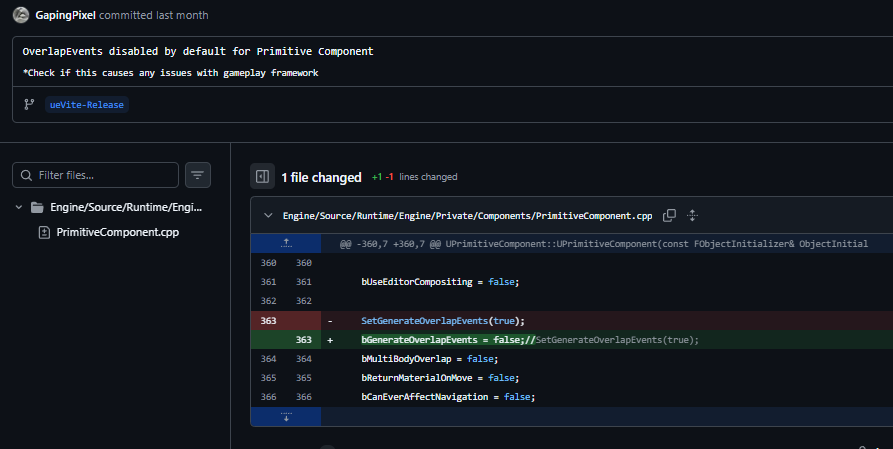
One line in UPrimitiveComponent, applied to every primitive in every project.
Optimised actor runtime
Actor runtime defaults are changed to reduce per-actor overhead in AActor::InitializeDefaults:
Default | Stock 4.27 | Vite | Why |
|---|---|---|---|
|
|
| Only actors that use the damage system need it |
|
|
| Keeps actors out of demo net recording unless wanted |
|
|
| Avoids level-bounds iteration over actors that do not define bounds |
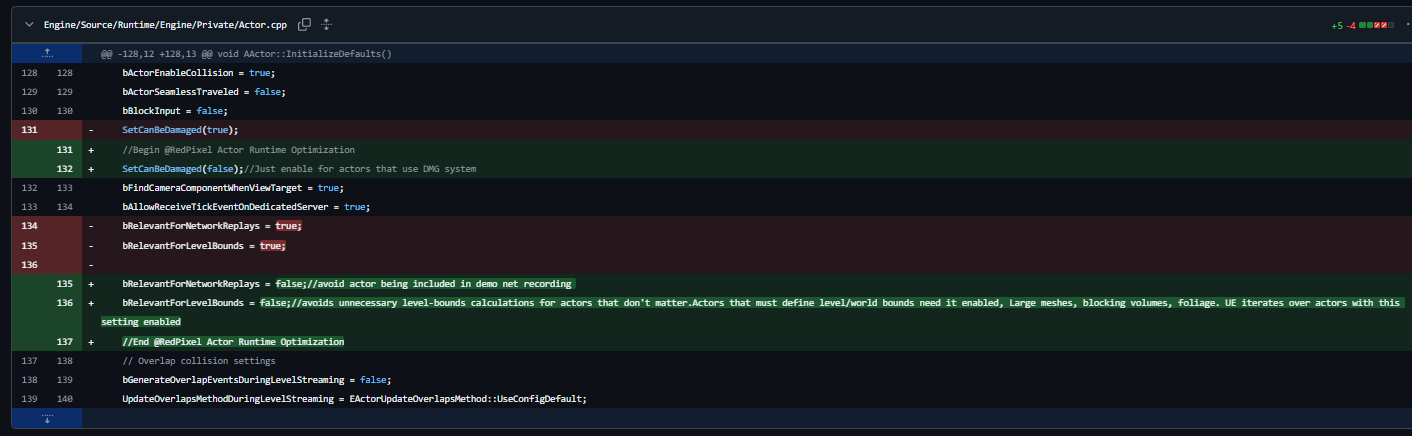
Large meshes, blocking volumes and foliage that must define world bounds need bRelevantForLevelBounds set back to true.
Skeletal mesh optimised configuration
Skeletal meshes are among the top CPU offenders in most projects, so USkeletalMeshComponent ships with performance-oriented defaults instead of Epic's fully featured ones. In-world assets often contain many skeletal meshes, which makes enabling optimised settings per component impractical; configuring the cheap path as the default and opting into the expensive options where they are needed is the workable order.
Default | Stock 4.27 | Vite |
|---|---|---|
|
|
|
|
|
|
|
|
|
|
|
|
|
|
|
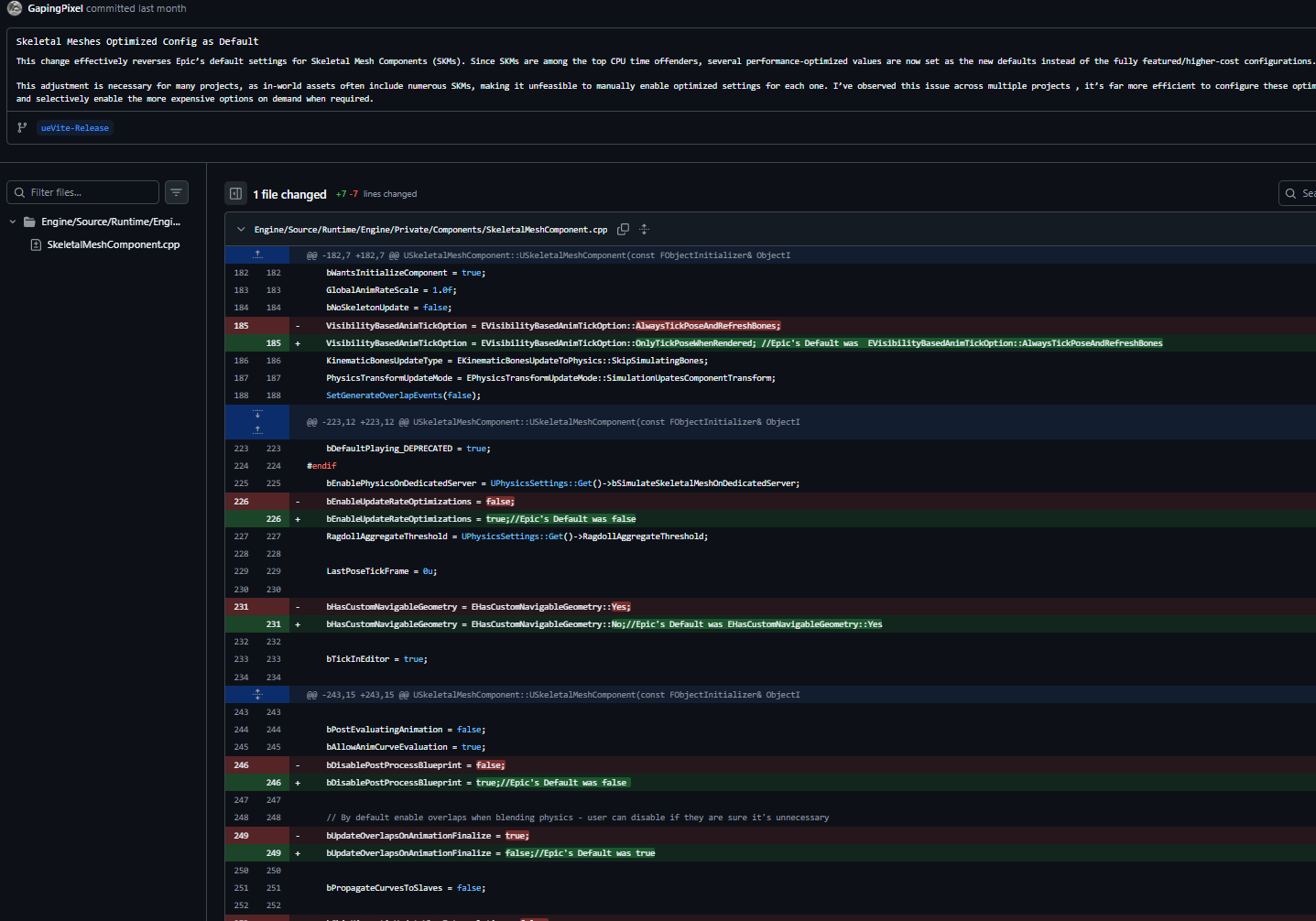
Each changed line keeps Epic's original value in a trailing comment, so the stock behaviour is recoverable without consulting upstream.
VisibilityBasedAnimTickOption is the one to watch. OnlyTickPoseWhenRendered means an off-screen character stops evaluating its pose entirely; gameplay that reads bone transforms or sockets on unrendered characters — weapon muzzle positions, IK targets, attach points on a distant actor — must set the component back to AlwaysTickPose or AlwaysTickPoseAndRefreshBones.
bDisablePostProcessBlueprint = true is the second: post-process anim Blueprints, commonly used for IK and bone corrections, no longer run unless re-enabled per component.
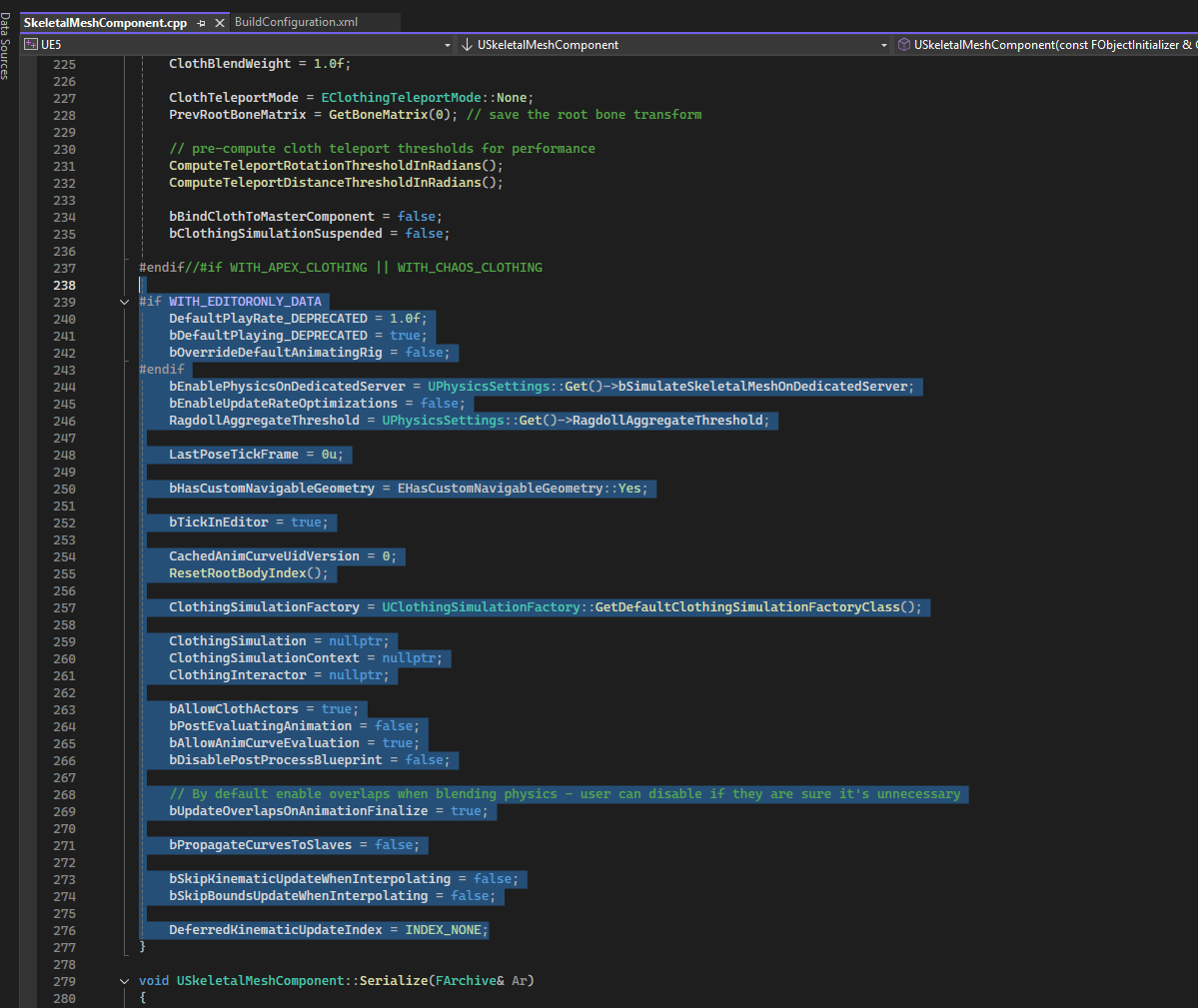
The surrounding constructor block in SkeletalMeshComponent.cpp, for context on where these defaults are set.
Generate Lightmap UVs disabled
Static mesh import no longer generates lightmap UVs by default.
Most Vite projects use DDGI rather than baked lighting, so generating lightmap UVs for every imported mesh is wasted import time and wasted UV channels. If your project bakes lighting, enable the setting in the static mesh import options.
Scalability
Shadow Quality 4 is used for the Medium shadow setting, raising shadow quality in the middle of the scalability range.
Disabled plugins
A number of plugins that ship enabled in stock 4.27 are disabled by default. This reduces editor startup time, module load count and packaged build size.
VR plugins in particular must be re-enabled if you need them.
Tick optimisations
SpeedTree tick
The SpeedTree tick in LevelTick.cpp is optimised. SpeedTree ticking runs regardless of whether a project uses SpeedTree assets, so this is a saving every project gets.
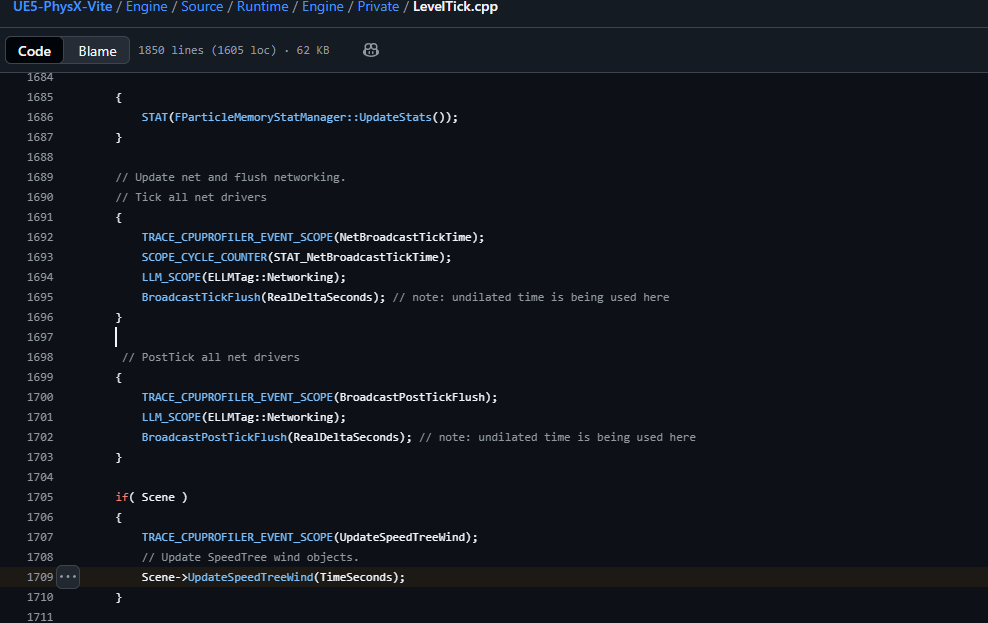
Scene->UpdateSpeedTreeWind in the world tick — unconditional in stock 4.27.
Niagara tick
Niagara ticks whenever the plugin is enabled. Disable the Niagara plugin at project level if you do not use it; Cascade remains available in 4.27.
Ray tracing culling
Ray tracing culling respects each primitive's minimum draw distance:
This is a cheap and generally safe win in scenes with many small detail meshes, since geometry too small to be drawn is also too small to matter in the acceleration structure.
Editor quality-of-life
These do not affect runtime performance but change editor behaviour:
Optional debloat you can do yourself
These cannot be disabled in the fork release branch for compatibility reasons, but are available to individual projects.
Vite plugin removal. Removing the added Vite plugins improves compile times. Measured on a Ryzen 9 9950X3D: full repository 15 minutes, without Vite plugins 12 minutes. Houdini is the largest single contributor.
See the Debloat Guide for the tooling.
Migrating an existing project
Check a migrated project against Vite defaults
Test every trigger volume and overlap-driven interaction. Overlap events are the most common breakage.
Check characters using leader/follower skeletal mesh setups for missing curve propagation.
If the project bakes lighting, re-enable lightmap UV generation and confirm existing meshes still have valid lightmap UVs.
Re-enable any plugins your project needs, VR in particular.
Review scalability settings, since Medium shadows now differ from stock.