Performance Targets
Vite's performance targets are not aspirational marketing numbers; they are the configurations the engine is tuned against and the ones the demo projects are built to hit. Every one of them includes ray tracing, and every one of them is stated at native resolution rather than an upscaled internal one.
The four targets
Target | Resolution and frame rate | Feature set | Intended for | Demonstraded in |
|---|---|---|---|---|
Stylised | 4K, 120 FPS | RT DDGI | Competitive multiplayer titles | Stylized Demo |
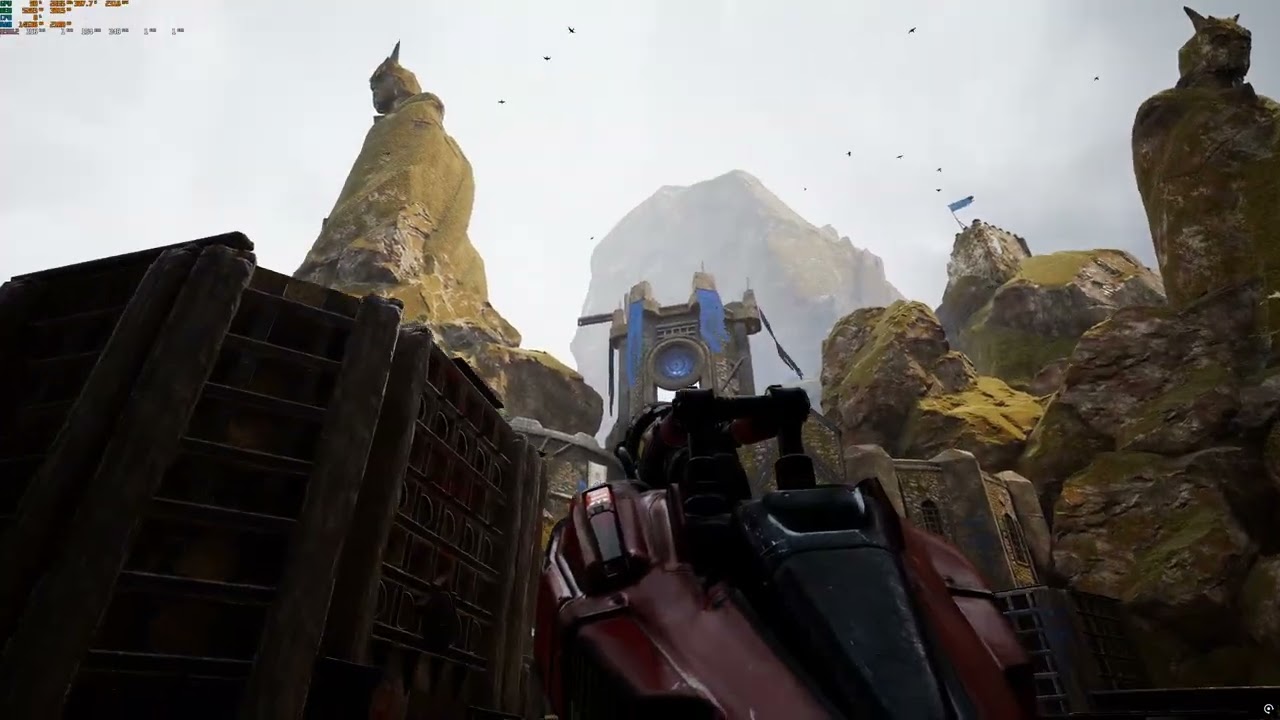
Performance, high end | 4K, 60 FPS | DDGI + RT Reflections + Tessellation | Fidelity-focused titles that still need 60 | Unreal Tournament Vite Scene |
Fidelity, high end | 4K, 30 FPS | As above, scaled for geometric density | Large open worlds | Demo In Progress |
Fidelity, full RT | 1440p, 30 FPS | DDGI + RT Reflections + RTAO + RT Shadows | Maximum image quality | NVIDIA Demos |
The reference hardware for all four is PlayStation 5 class, which on desktop means roughly an RDNA2 RX 6700/RTX 2080
Real-time path tracing is also available in the codebase, using the NVIDIA path tracing technology featured in Black Myth: Wukong. — see Path Tracing.
The comparison being made
Epic's UE 5.7 and 5.8 target approximately 60 FPS at dynamic internal resolutions of 720p–1080p on PS5, using Lumen, Nanite, VSM, TSR and Chaos. Vite's headline claim is a base performance improvement of up to 2.5x real game frame rate against that intended feature set.
The clearest single demonstration: a scene running in Vite with ray-traced global illumination, ray-traced reflections and tessellation outperforms the same scene in UE 5.7 with no ray tracing, no Lumen, no Nanite and no tessellation. This holds at 4K native on an RTX 4080 Super, at 4K native on an RDNA2 RX 6700, and at native resolution on Steam Deck hardware.
Measured reference points
These are specific measurements from the benchmark scenes, reproduced here so the targets above have something concrete behind them. Each is a like-for-like comparison in the same scene.
Measurement | Vite | UE5 | Ratio |
|---|---|---|---|
DDGI test scene, RTX 4080S, 1440p native | 811 FPS (RTXGI) | 324 FPS (Lumen 5.7) | ~2.5x |
DDGI test scene, RX 6600, 1080p native | 245 FPS (RTXGI) | — | — |
Physics stress scene | 157 FPS (PhysX) | 33.3 FPS (Chaos 5.7.3) | ~4.7x |
Physics, native PhysX actor fast path | ~2x regular PhysX | — | — |
Character movement and collision | 4.27 baseline | 5.6 | 2.2–2.8x faster on 4.27 |
Typical multiplayer map memory | ~1 GB less than 5.7 | — | — |
The DDGI comparison is the most representative of the rendering argument; the physics comparison is the most representative of the CPU argument. The benchmark scenes themselves are downloadable from Projects and Demos.
Why native resolution is the constraint
Temporal reconstruction, denoising and stochastic sampling introduce noise, ghosting, temporal instability and blur. A 60 FPS target at a dynamic 720p–1080p internal resolution reconstructed to 4K is a different product than 60 FPS at native 4K, even when the frame rate number matches.
Vite's position is that image clarity and gameplay responsiveness are the things that degrade first and are hardest to recover, so the frame-time budget should be spent holding native resolution and using lighting techniques that are noise-free by construction. DDGI's use of spherical harmonics to store and filter irradiance in probe volumes is precisely why it produces stable results without a denoiser.
Upscalers are fully supported — DLSS 4.5, FSR 2 and 4, XeSS and NIS all ship with the engine. They are positioned as a way to exceed a target on weaker hardware, not as a way to reach it on the reference hardware. See Upscalers and Frame Generation.
Designing to a target
Pick your target before you build content, because it determines your entire art budget.
Choose and hold a performance target
Pick the row from the table above that matches your genre. Competitive multiplayer almost always means the Stylised 4K120 target; a narrative single-player title can usually afford Fidelity.
Configure the corresponding feature set and nothing more. Vite enables most ray tracing effects by default, so this usually means turning things off. See Ray Tracing.
Establish a frame-time budget per system — GI, reflections, shadows, geometry, post — and measure against it with
stat gpufrom the first playable scene onward.Test on the lowest hardware in your matrix regularly, not at the end. See System Requirements for the reference hardware list.
Use scalability settings to scale down, rather than designing for the weakest machine and scaling up.